Silveira Neto Posts
I often find myself in a situation where I need to flatten a directory structure. I kept reusing variants of this script to flatten a directory using find.
I rewrote that with a little cli written in Rust:
- 📝 Source-code: https://github.com/silveira/flatten
- 💾 Download: https://github.com/silveira/flatten/releases
It features:
- 10~30x faster because eliminates subprocess launching and redundant directory scans.
- Rust native filesystem API handling already takes care of spaces, Unicode, and symbols out-of-the-box. This was the a major breaking point of the original script and its variants.
- Safeguards against conflicts and collisions.
- Suits of tests coverages to avoid regressions.
- –undo, –dryrun and other special subcommands.
I uploaded my first photo to Flickr on 2006-08-24. That’s 20 years ago. I was prized some years of free account subscription in an tech event back then. Then I became a paying customer and kept using the service to upload my digital camera photos.
It’s been a few years that I only use Flickr in a read-only mode. I use Google Photos to backup and organize photos from our phones. It’s far from perfect but it’s works for most of my use cases.
I want to try Immich in a self-hosted solution.
- Todas as 31 seções eleitorais (100,00%) foram totalmente apuradas (seções totalizadas).
- De um eleitorado apto total de 18.146, o comparecimento foi de 4.836 (26,65%), enquanto as abstenções somaram 13.310 (73,35%).
- Houve 4.706 votos válidos, 72 votos em branco (1,49%), 58 votos nulos (1,20%) e zero votos anulados.
- Lula (PT – 13) recebeu 51,40% dos votos (2.419 votos) e avançou para o 2º Turno.
- Flavio Bolsonaro (PL – 22) recebeu 39,48% dos votos (1.858 votos) e avançou para o 2º Turno.
- Renan Santos (MISSÃO – 14) recebeu 2,40% (113 votos).
- Escritor Augusto Cury (AVANTE – 70) recebeu 2,36% (111 votos).
- Ronaldo Caiado (PSD – 55) recebeu 2,32% (109 votos).
- Zema (NOVO – 30) recebeu 1,30% (61 votos).
- Clariana Barao (DC – 27) recebeu 0,28% (13 votos).
- Veterinário Wilson Grassi (DEMOCRATA – 35) recebeu 0,19% (9 votos).
- Samara (UP – 80) recebeu 0,11% (5 votos).
- Edmilson Costa (PCB – 21) recebeu 0,08% (4 votos).
- Hertz Dias (PSTU – 16) recebeu 0,08% (4 votos).
- Rui Costa Pimenta (PCO – 29) recebeu 0,00% (0 votos).
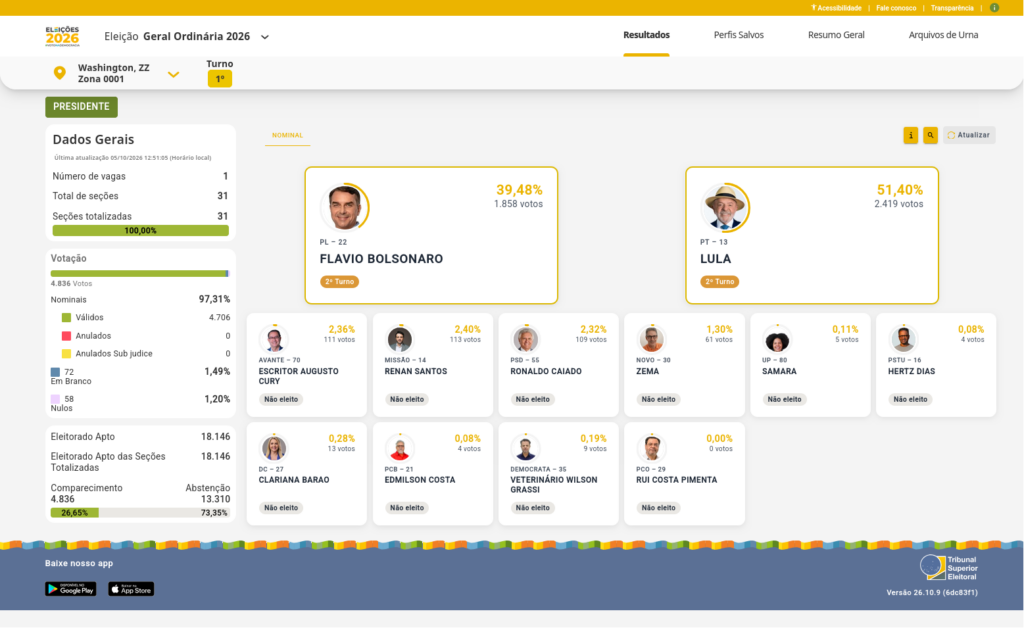
Retirado do site do TSE em https://resultados.tse.jus.br/oficial/app/index.html#/eleicao/6257/uf/zz/mu/30783/zn/0001/cargo/1/vis/nominal/resultados
find . -type f -name "*.*" | awk -F. '{print $NF}' | sort -uHow it works:
find . -type f: Looks only at files (not directories) in the current folder-name "*.*": Ensures it only processes files that actually have a dot (an extension).awk -F. '{print $NF}': Splits the filenames by the dot and prints only the very last part.sort -u: Sorts the list alphabetically and removes any duplicates.
Quando vier a primavera,
Se eu já estiver morto,
As flores florirão da mesma maneira
E as árvores não serão menos verdes que na primavera passada.
A realidade não precisa de mim.Sinto uma alegria enorme
Ao pensar que a minha morte não tem importância nenhuma.Se soubesse que amanhã morria
E a primavera era depois de amanhã,
Morreria contente, porque ela era depois de amanhã.
Se esse é o seu tempo, quando havia ela de vir senão no seu tempo?
Gosto que tudo seja real e que tudo esteja certo;
E gosto porque assim seria, mesmo que eu não gostasse.
Por isso, se morrer agora, morro contente,
Porque tudo é real e tudo está certo.Podem rezar latim sobre o meu caixão, se quiserem.
Se quiserem, podem dançar e cantar à roda dele.
Não tenho preferências para quando já não puder ter preferências.
O que for, quando for, é que será o que é.
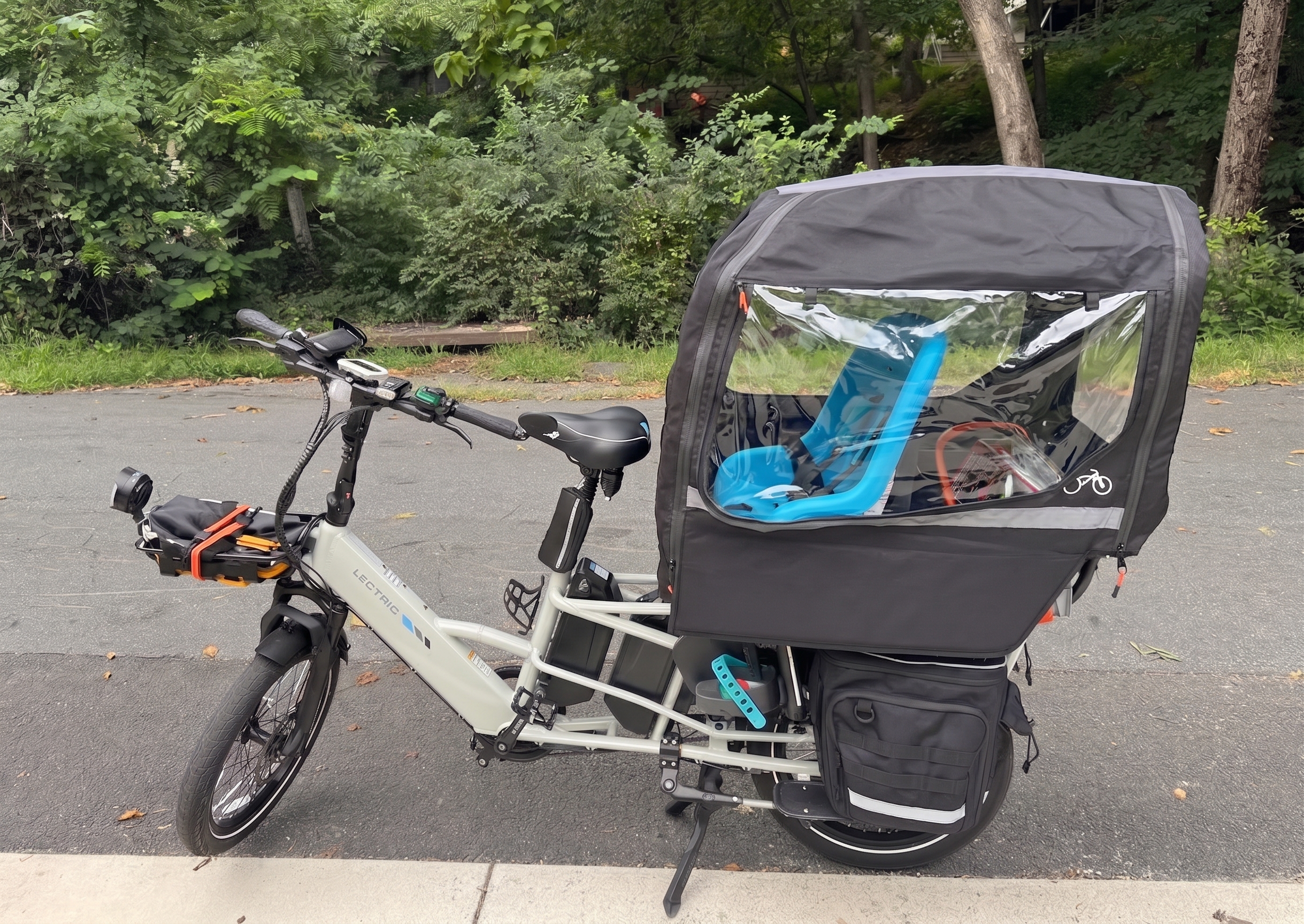
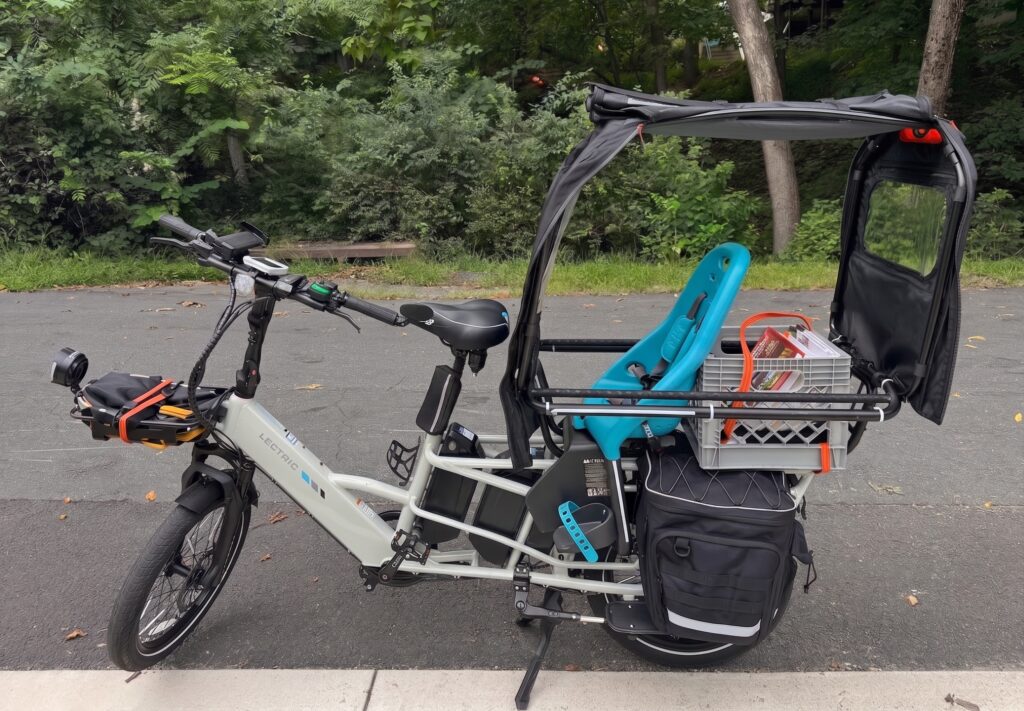
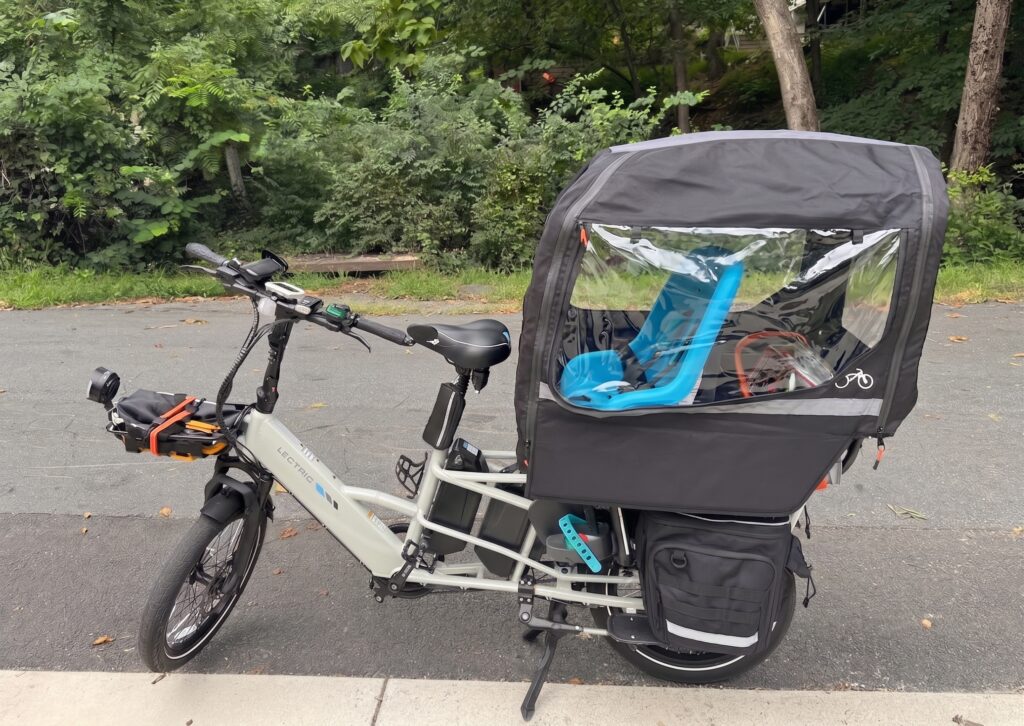
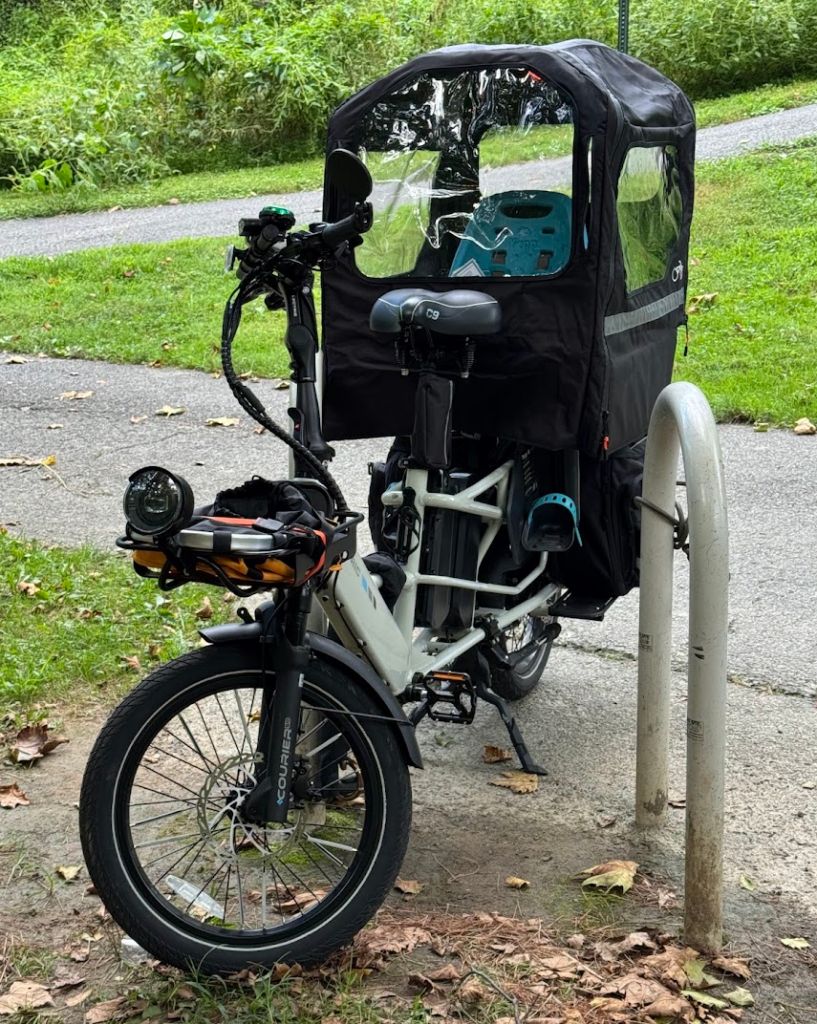
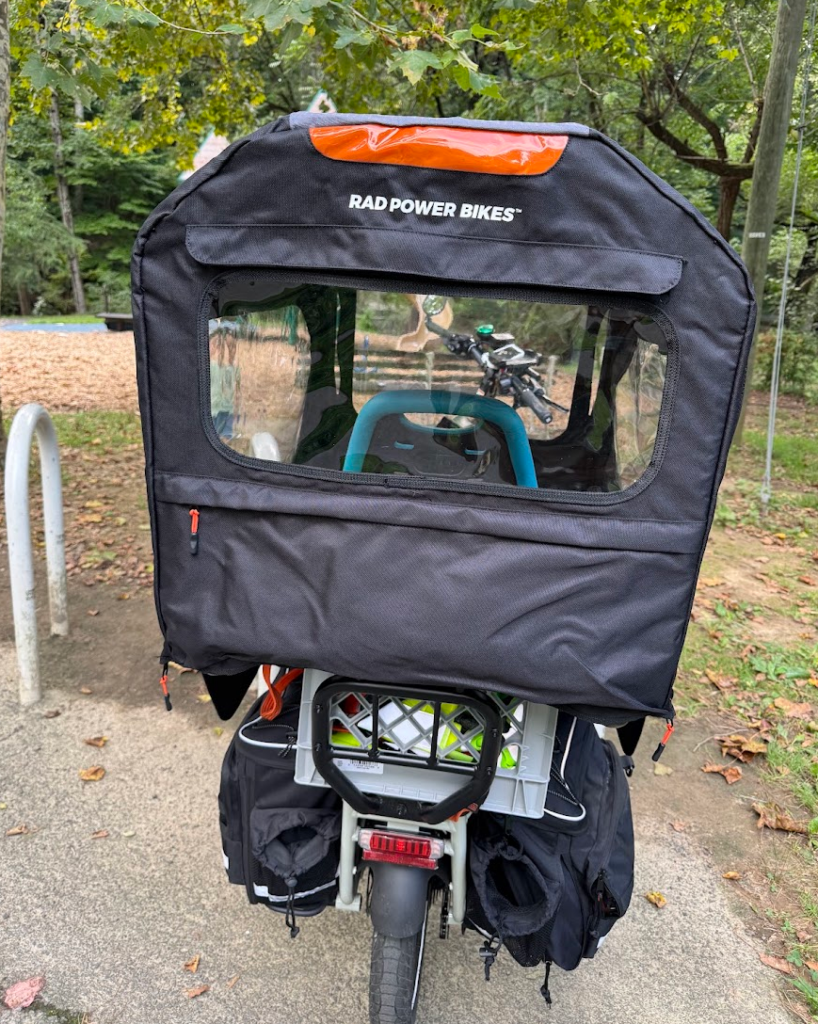
You will need:
- Orbitor (rear cage for the Xpedition)
- Rad Power Conestoga
- Lectric Xpedition 2
- Four 3″ M6x1.0 bolts
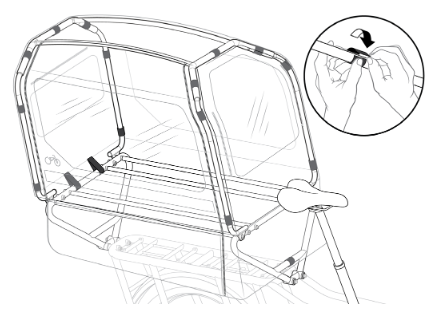
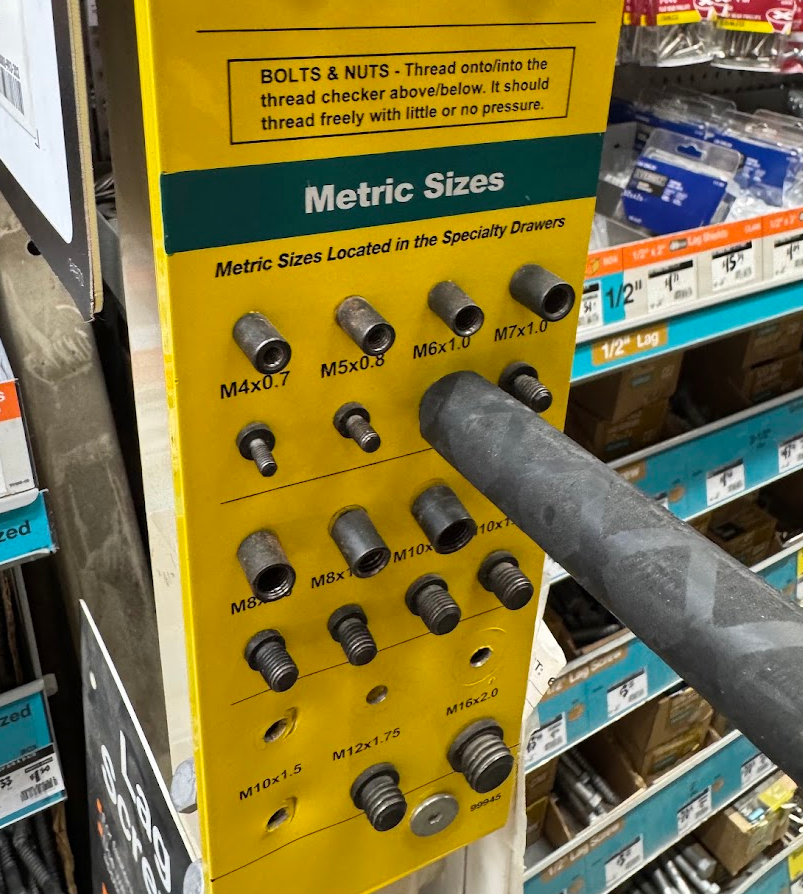
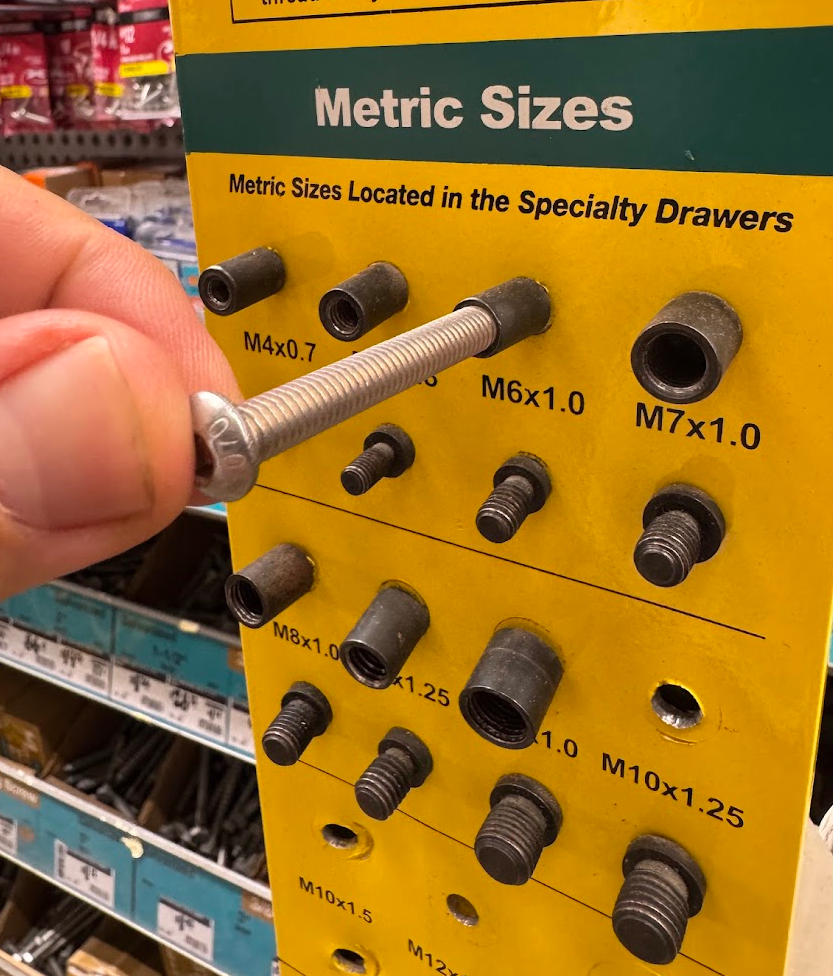
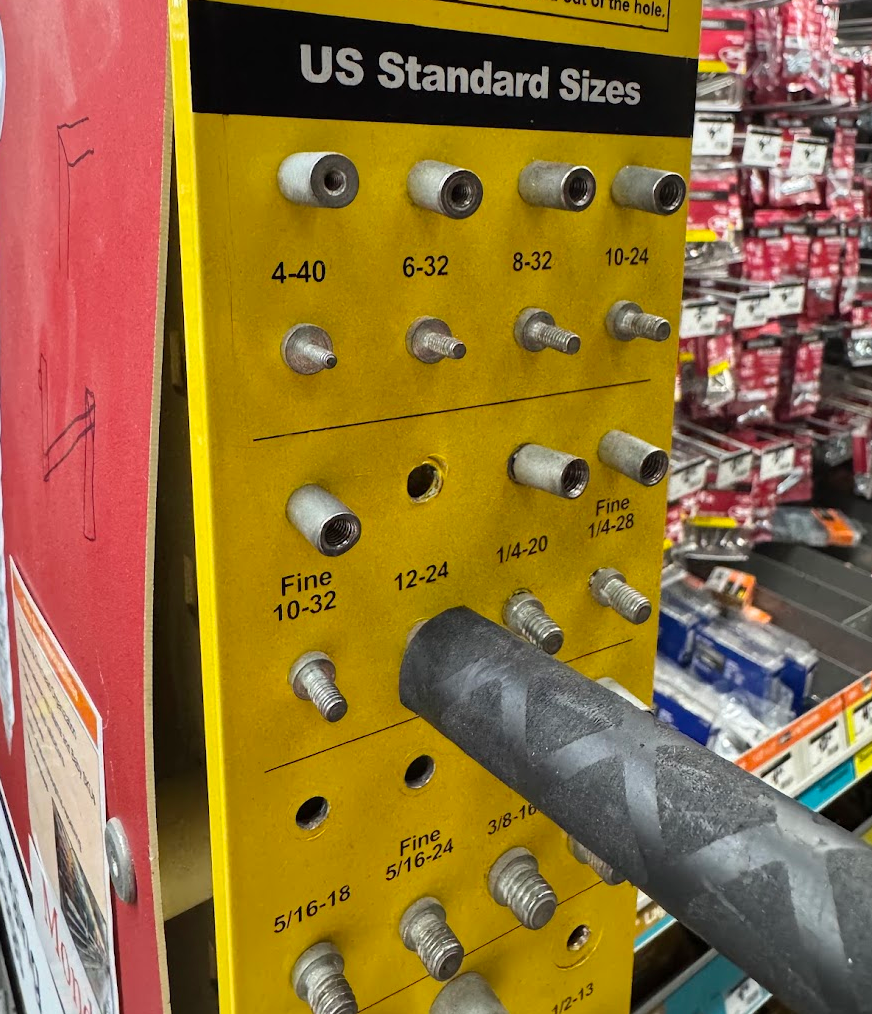
You can use all original parts except for bolts because they need to be longer. I went with 3″ bolts but I’m pretty sure 2.5″ would be enough. M6x1.0 bolts fit just perfectly but US Standard Size 12-24 seem to fit as well. You can use the same lock and washers. After you have the all parts, just follow the original instructions for Rad Power Conestoga but instead of the Rad Power Caboose you are installing it in the Lectric Orbitor.
Here is a photo from the Orbitor after I replaced the original black allen head bolts with the pan head machine 3″ M6x1.0 bolt.
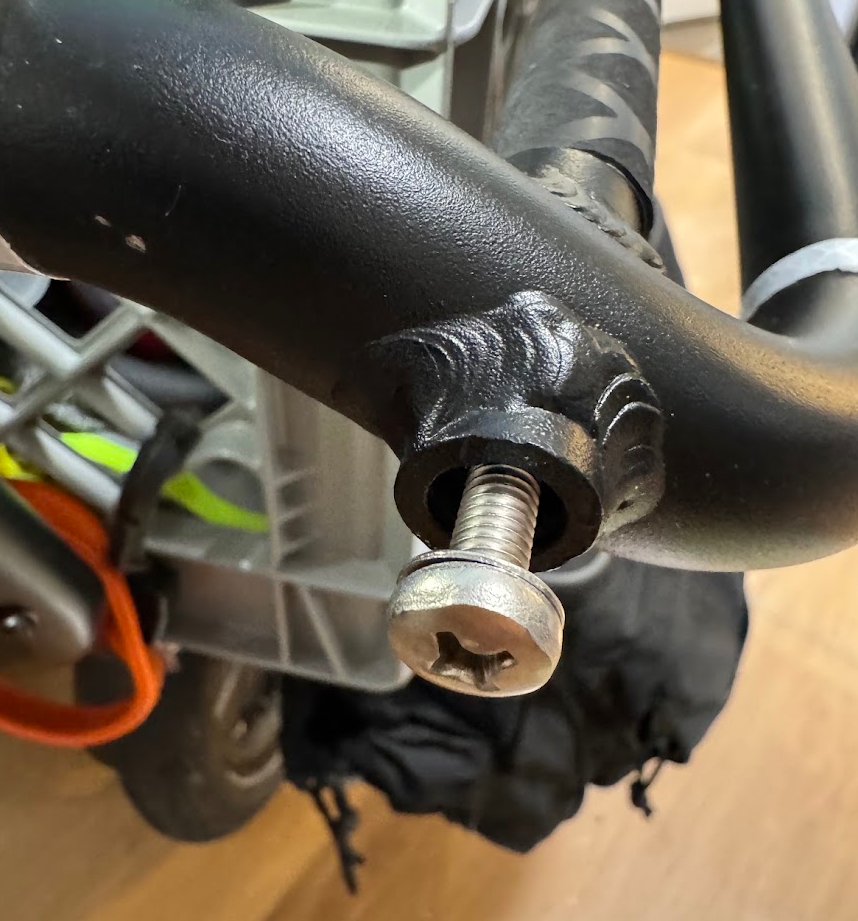
Just insert the Conestoga frame into the Orbitor bots just like you would with a Rad Power.
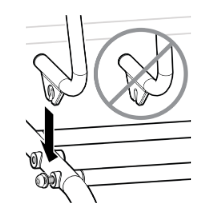
This is me testing the Orbitor pole against Metric and US Standard Sizes.
Review
The Rad Power Conestoga is great and it fits a Lectric Xpedition 2 with Orbito when you replace the original bolts with 4 x 3″ M6x1.0 bolts. My son love it.
The price (USD $250) is hard to justify, but not impossible:
- It’s a metal frame not sturdy enough to add any meaningful protection to passengers but not so flimsy that could break or bent easily.
- It’s well thought. The cover has large plastic windows, pockets in the front for the passenger, a large zipper pocket in the back, nice zippers.
- It just works. Besides the trip to buy the bolts, the Conestoga arrived in 2 days, installation took maybe 10 minutes in total.
- It’s not another project. I spent some times evaluating DIY/modification options with other canopies, and the cost associated with each one. They were not too far off, specially when considering labor.
And the ultimate dad math: my cost of not having this canopy is higher than $250, and not affordable right now. Without a canopy I’m biking less, enjoying our parks and trails less, missing great bike rides with my son because of a light rain, wind, sun, or snow.
So that’s how, yet again, they took my money. Yet with just after a few trips, I’m already satisfied with this purchase.
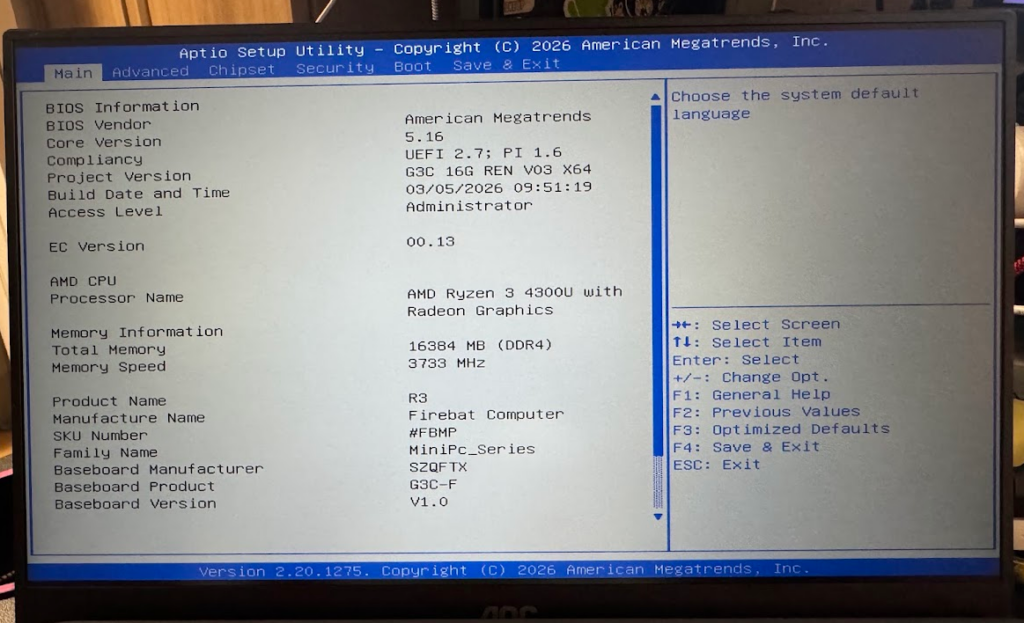
| Component / Feature | Specification |
| Model & Spec | Firebat R3 (R3-IG4Z16N8) |
| Processor (CPU) | AMD Ryzen 3 4300U (4 Cores, up to 3.7 GHz) |
| Graphics (GPU) | AMD Radeon Graphics (integrated) |
| Memory (RAM) | 16GB LPDDR4 (soldered onboard; non-upgradable) |
| Storage | 512GB M.2 SSD (expandable up to 2TB) |
| Operating System | Windows 11 Pro |
| Wireless Connectivity | Wi-Fi 6, Bluetooth 5.2 |
| Video Outputs | Triple 4K Display Support (via HDMI, DisplayPort, and USB-C) |
| Cooling System | Active single-fan with dual-heatpipes |
| Power Input | DC 19V ⎓ 3.42A (approx. 65W) |
I got a Firebat R3-IG4Z16N8 for $221 USD. I replaced Windows 11 with Ubuntu 26.04 (after disabling bitlocker encryption). I added 128GB in NVME to it.
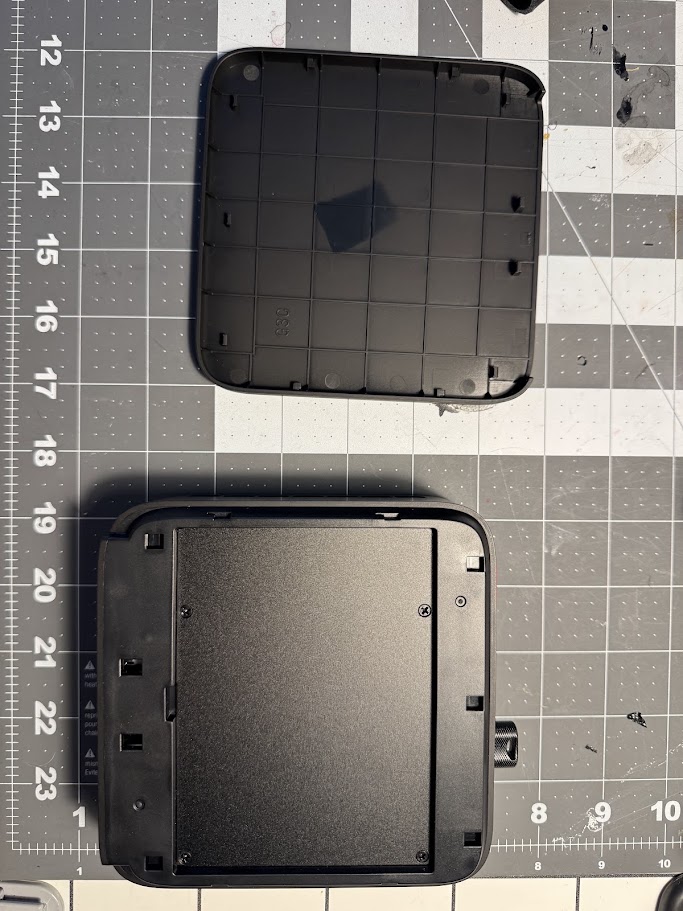
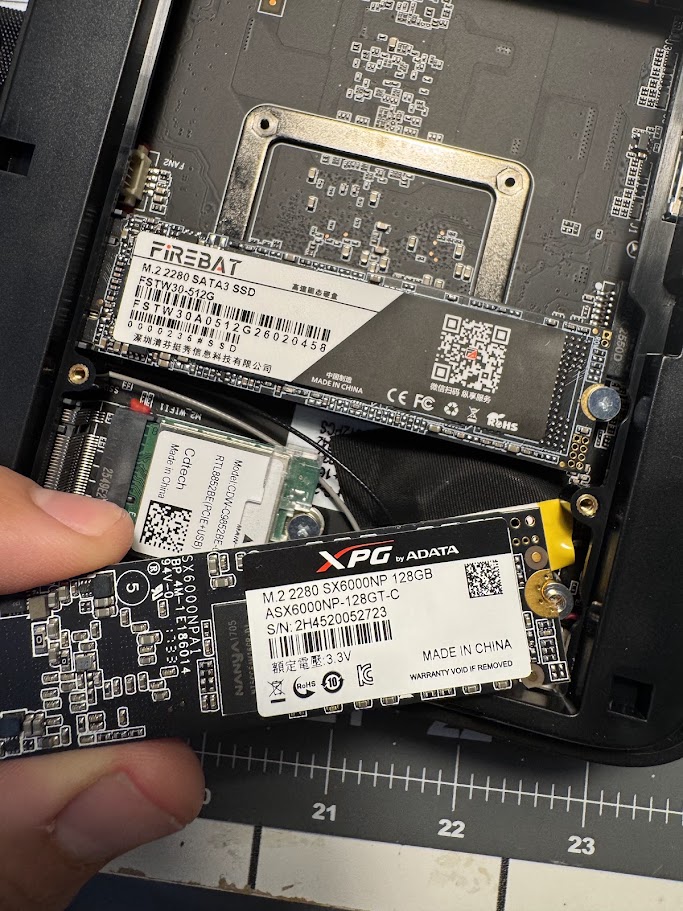
The top slot (in this photo), accepts M.2 SATA/NVME but the bottom one only accepts SATA. So you need to remove the FSTW30-512G from the original slot, move it down and add the NVME in the top one.
| Feature | ADATA XPG SX6000NP (ASX6000NP-128GT-C) | Firebat (FSTW30-512G) |
| Capacity | 128 GB | 512 GB (476.9 GB usable) |
| Interface | PCIe 3.0 x2 (NVMe) | SATA 3.0 |
| Form Factor | M.2 2280 | M.2 2280 |
| Max Read Speed | 730 MB/s | ~519 MB/s |
| Max Write Speed | 660 MB/s | 464 Mb/S * |
* Firebat write speed value is actually the average write speed (benchmark).
Because the higher speeds of NVME, it would make sense to install the main OS on it for better performance. Nonetheless, the original storage is already pretty good for booting and regular usage.
“Ela tem o perfume de uma flor
Que eu não sei o nome
Mas ela deve ter um nome bonito igual a ela“
Jorge Ben em “Obá, Lá Vem Ela”, 1970.
“What’s in a name? That which we call a rose
By any other name would smell as sweet;”
William Shakespeare in “Romeo and Juliet”, 1597.
“Rose is a rose is a rose is a rose”
Gertrude Stein in “Sacred Emily”, 1913.