const f1 = async() => {
    setTimeout( () => {
        console.log("f1");
    }, 100)
};

const f2 = async() => {
    setTimeout( () => {
        console.log("f2");
    }, 100)
};

const f3 = async() => {
    return new Promise((resolve, reject) => {
        reject("f3");
    });
};

const f4 = async() => {
    setTimeout( () => {
        console.log("f4");
    }, 100)
};

const workflow = async () => {
    await f1();
    await f2();
    await f3();
    await f4();
};

workflow().catch((error)=>{
    console.error(error);
})Tag: code
# Get the HTML page content
from urllib import request
html = request.urlopen("https://silveiraneto.net").read()

# Get the title tag
from bs4 import BeautifulSoup
title = BeautifulSoup(html, 'html.parser').find('title')

print(title.string)
This uses the XML/HTML library BeautifulSoup . This could also be done using regex but playing with HTML and regex is usually a bad idea.
[bash]#!/bin/sh
HOST="silveiraneto.net"
if ping -c 1 $HOST > /dev/null
then
echo your command
fi
[/bash]
- replace silveiraneto.net for your desired hostname or ip
- ping sends only one package (-c 1) and ignores the text output
- a ping is successful returns 0 and the if proceeds
- replace the echo line with your command
This is a very simple example of how to open two images and display them added.
I got two pictures at project Commons from Wikimedia that were highlighted on Featured Pictures. I did a crop on both to have the same size, as I’m trying to make this example as simple as possible.
The first one is a photo of our Milky Way, taken at Paranal Observatory by Stéphane Guisard.


The second one is a California surfer inside wave, taken by Mila Zinkova.


In this simple OpenCV code below, we open the images, create a new one to display the result and use cvAdd to add them. We do not save the result or handle more than the ordinary case of two images with the same size.
#include
#include
#include

int main( int argc, char **argv ){
    IplImage *surfer, *milkyway, *result;
    int key = 0;
    CvSize size;

    /* load images, check, get size (both should have the same) */
    surfer = cvLoadImage("surfer.jpg", CV_LOAD_IMAGE_COLOR);
    milkyway = cvLoadImage("milkyway.jpg", CV_LOAD_IMAGE_COLOR);
    if((!surfer)||(!milkyway)){
        printf("Could not open one or more images.");
        exit -1;
    }
    size = cvGetSize(surfer);

    /* create a empty image, same size, depth and channels of others */
    result = cvCreateImage(size, surfer->depth, surfer->nChannels);
    cvZero(result);

    /* result = surfer + milkyway (NULL mask)*/
    cvAdd(surfer, milkyway, result, NULL);

    /* create a window, display the result, wait for a key */
    cvNamedWindow("example", CV_WINDOW_AUTOSIZE);
    cvShowImage("example", result);
    cvWaitKey(0);

    /* free memory and get out */
    cvDestroyWindow("example");
    cvReleaseImage(&surfer);
    cvReleaseImage(&milkyway);
    cvReleaseImage(&result);
    return 0;
}

/* gcc add.c -o add `pkg-config opencv --libs --cflags` */
Compile it (on a well configured OpenCV development environment) and run it:
gcc add.c -o add `pkg-config opencv –libs –cflags`
./add
The result got pretty cool, a milky way surfer.

I got a simple motor from a broken domestic printer. It’s a Mitsumi m355P-9T stepping motor. Any other common stepping motor should fits. You can find one in printers, multifunction machines, copy machines, FAX, and such.

With a flexible cap of water bottle with a hole we make a connection between the motor axis and other objects.


With super glue I attached to the cap a little handcraft clay ox statue.

It’s a representation from a Brazilian folkloric character Boi Bumbá. In some traditional parties in Brazil, someone dress a structure-costume and dances in circular patterns interacting with the public.


Photos by Marcus Guimarães.
Controlling a stepper motor is not difficult. There’s a good documentation on how to that on the Arduino Stepper Motor Tutorial. Basically it’s about sending a logical signal for each coil in a circular order (that is also called full step).

Animation from rogercom.com.

You’ll probably also use a driver chip ULN2003A or similar to give to the motor more current than your Arduino can provide and also for protecting it from a power comming back from the motor. It’s a very easy find this tiny chip on electronics or automotive stores or also from broken printers where you probably found your stepped motor.

With a simple program you can already controlling your motor.
// Simple stepped motor spin
// by Silveira Neto, 2009, under GPLv3 license
// http://silveiraneto.net/2009/03/16/bumbabot-1/
int coil1 = 8;
int coil2 = 9;
int coil3 = 10;
int coil4 = 11;
int step = 0;
int interval = 100;

void setup() {
  pinMode(coil1, OUTPUT);
  pinMode(coil2, OUTPUT);
  pinMode(coil3, OUTPUT);
  pinMode(coil4, OUTPUT);
}

void loop() {
  digitalWrite(coil1, step==0?HIGH:LOW);
  digitalWrite(coil2, step==1?HIGH:LOW);
  digitalWrite(coil3, step==2?HIGH:LOW);
  digitalWrite(coil4, step==3?HIGH:LOW);
  delay(interval);
  step = (step+1)%4;
}
Writing a little bit more generally code we can create function to step forward and step backward.
My motor needs 48 steps to run a complete turn. So 360º/48 steps give us 7,5º per step. Arduino has a simple Stepper Motor Library but it doesn’t worked with me and it’s also oriented to steps and I’d need something oriented to angles instead. So I wrote some routines to do that.
For this first version of BumbaBot I mapped angles with letters to easy the communication between the programs.

Notice that it’s not the final version and there’s still some bugs!
// Stepped motor control by letters
// by Silveira Neto, 2009, under GPLv3 license
// http://silveiraneto.net/2009/03/16/bumbabot-1/
int coil1 = 8;
int coil2 = 9;
int coil3 = 10;
int coil4 = 11;
int delayTime = 50;
int steps = 48;
int step_counter = 0;
void setup(){
pinMode(coil1, OUTPUT);
pinMode(coil2, OUTPUT);
pinMode(coil3, OUTPUT);
pinMode(coil4, OUTPUT);
Serial.begin(9600);
}
// tells motor to move a certain angle
void moveAngle(float angle){
int i;
int howmanysteps = angle/stepAngle();
if(howmanysteps<0){
howmanysteps = - howmanysteps;
}
if(angle>0){
for(i = 0;i
In another post I wrote how create a Java program to talk with Arduino. We'll use this to send messages to Arduino to it moves.Â
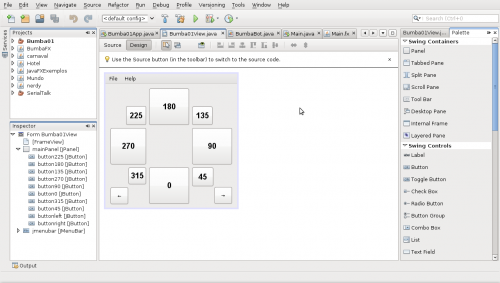
[put final video here]
To be continued... :)
I created some illustrative and simple implementations of common Unix commands. For those who are familiar with Unix-like systems them make easier to understand Java. For those who are familiar with Java them make easier to understand Unix-like systems. 🙂
1. PWD
The first one is pwd that show the current working directory.
public class Jpwd {
    public static void main(String[] args) {
        String pwd = System.getProperty("user.dir");
        System.out.println(pwd);
    }
}
Running this at /home/silveira directory gives us as output:
$ java Jpwd
/home/silveira
1. CAT
The command cat is usually utilized for displaying files.
import java.io.BufferedReader;
import java.io.FileNotFoundException;
import java.io.FileReader;
import java.io.IOException;

public class Jcat {
    public static void main(String[] args) {
        if(args.length==1){
            try {
                FileReader fileReader = new FileReader(args[0]);
                BufferedReader in = new BufferedReader(fileReader);
                String line;
                while((line = in.readLine())!= null){
                    System.out.println(line);
                }
            } catch (FileNotFoundException ex) {
                System.out.println(args[0]+", file not found.");
            }
            catch (IOException ex) {
                System.out.println(args[0]+", input/output error.");
            }
        }
    }
}
$ java Jcat /etc/timezone
America/Fortaleza
3. LS
The command ls is to list files. The File API (java.io.File) is very flexible and portable, but in this example I want just list files and directories of the current directory.
import java.io.File;

public class Jls {
    public static void main(String[] args) {
        File dir = new File(System.getProperty("user.dir"));
        String childs[] = dir.list();
        for(String child: childs){
            System.out.println(child);
        }
    }
}
Usage:
$ java Jpwd
/home/silveira/example
$ java Jls
directoryA
fileA
.somefile
4. CD
The cd command changes the current working directory.
import java.io.File;

public class Jcd {
    public static void main(String[] args) {
        if(args.length==1){
            File dir = new File(args[0]);
            if(dir.isDirectory()==true) {
                System.setProperty("user.dir", dir.getAbsolutePath());
            } else {
                System.out.println(args[0] + "is not a directory.");
            }
        }
    }
}
Usage:
$ java Jpwd
/home/silveira
$ java Jcd /tmp
$ java Jpwd
/tmp
import java.util.Calendar;

public class Main {
    public static void main(String[] args) {
        Calendar today = Calendar.getInstance();
        System.out.println("Today is  " + today.getTime());
    }
}
In this simplest example of Calendar, the output would be
Today is : Tue Jul 01 10:56:14 BRT 2008
In the next example how to get information about the day inside the year, month and week.
import java.util.Calendar;

public class Main {
    public static void main(String[] args) {
        Calendar today = Calendar.getInstance();
        int dof = today.get(Calendar.DAY_OF_YEAR);
        int dom = today.get(Calendar.DAY_OF_MONTH);
        int dow = today.get(Calendar.DAY_OF_WEEK);
        System.out.println("Today is the " + dof +"º day in this year,");
        System.out.println("the " + dom +"º day in this month");
        System.out.println("and the " + dow +"º day in this week.");
    }
}
The output could be
Today is the 183º day in this year,
the 1º day in this month
and the 3º day in this week.
The next example is about how to add (and subtract) a duration from a Calendar.
import java.util.Calendar;

public class Main {
    public static void main(String[] args) {
        Calendar today = Calendar.getInstance();
        System.out.println("Today is " + today.getTime());

        Calendar yesterday = (Calendar)today.clone();
        yesterday.add(Calendar.DATE, -1);
        System.out.println("Yesterday was " + yesterday.getTime());

        Calendar tomorow = (Calendar)today.clone();
        tomorow.add(Calendar.DATE, 1);
        System.out.println("Tomorow will be " + tomorow.getTime());
    }
}
A typical output would be
Today is Tue Jul 01 10:44:18 BRT 2008
Yesterday was Mon Jun 30 10:44:18 BRT 2008
Tomorow will be Wed Jul 02 10:44:18 BRT 2008
You should know that variable values are cyclic in Java.
public class Test{
  public static void main(String args[]){
     System.out.println(Integer.MAX_VALUE);
     System.out.println(Integer.MIN_VALUE);
     int x = Integer.MAX_VALUE + 1;
     System.out.println(x);
  }
}
This produces:
2147483647
-2147483648
-2147483648
NumberFormatException: Thrown to indicate that the application has attempted to convert a string to one of the numeric types, but that the string does not have the appropriate format.
An simple example:
public class SummationExample {
    public static void main(String args[]){
        int sum = 0;
        for(String arg: args){
            System.out.println("+" + arg);
            sum += Integer.parseInt(arg);
        }
        System.out.println("= " + sum);
    }
}
$ javac SummationExample.java
$ java SummationExample 1 2 3 4 5
+1
+2
+3
+4
+5
= 15
but
$ java SummationExample 1 2 3 4 five
+1
+2
+3
+4
+five
Exception in thread “main” java.lang.NumberFormatException: For input string: “five”
at java.lang.NumberFormatException.forInputString(NumberFormatException.java:48)
at java.lang.Integer.parseInt(Integer.java:447)
at java.lang.Integer.parseInt(Integer.java:497)
at SummationExample.main(SummationExample.java:6)
So
public class SummationExample {
    public static void main(String args[]){
        int sum = 0;
        for(String arg: args){
            try {
                sum += Integer.parseInt(arg);
                System.out.println("+" + arg);
            } catch (NumberFormatException e) {
                // nothing
            }
        }
        System.out.println("= " + sum);
    }
}
now
$ javac BetterSummationExample.java
$ java BetterSummationExample 1 2 3 4 5
+1
+2
+3
+4
+5
= 15
and also
$ java BetterSummationExample 1 2 3 4 five
+1
+2
+3
+4
= 10

I need to implements some codes in C++. Just remembering some concepts like pointers to functions.
A simple example:
#include <stdlib.h>
#include <iostream>

using namespace std;

double evalFunction(double (*f)(double), double param){
    return f(param);
}

double function(double x){
    return x/2;
}

int main(int argc, char** argv) {
    cout << function(5.0) << endl;
    cout << evalFunction(function, 5.0) << endl;
    return (EXIT_SUCCESS);
}